Practicing Your Choir Part with an Audio Mixer: How to Learn Your Voice at Home
January 11, 2026
•

Jonas Deuchler
Choir singerSound familiar? You're sitting at home with your practice tracks, trying to learn your choir part, and struggling with accompanying voices that are too loud, or you can barely pick out your own part. The solution is simpler than you'd think: an audio mixer turns your choir practice at home into a professional practice session.
Why an audio mixer changes your choir practice
When learning multi-part choral pieces you often face a dilemma: either you get a tutti recording where all the voices sing together and your own part disappears in the mix. Or you practice with an isolated solo recording of your part – which makes the notes clear, but doesn't show you how your part fits into the whole. Both are less than ideal.
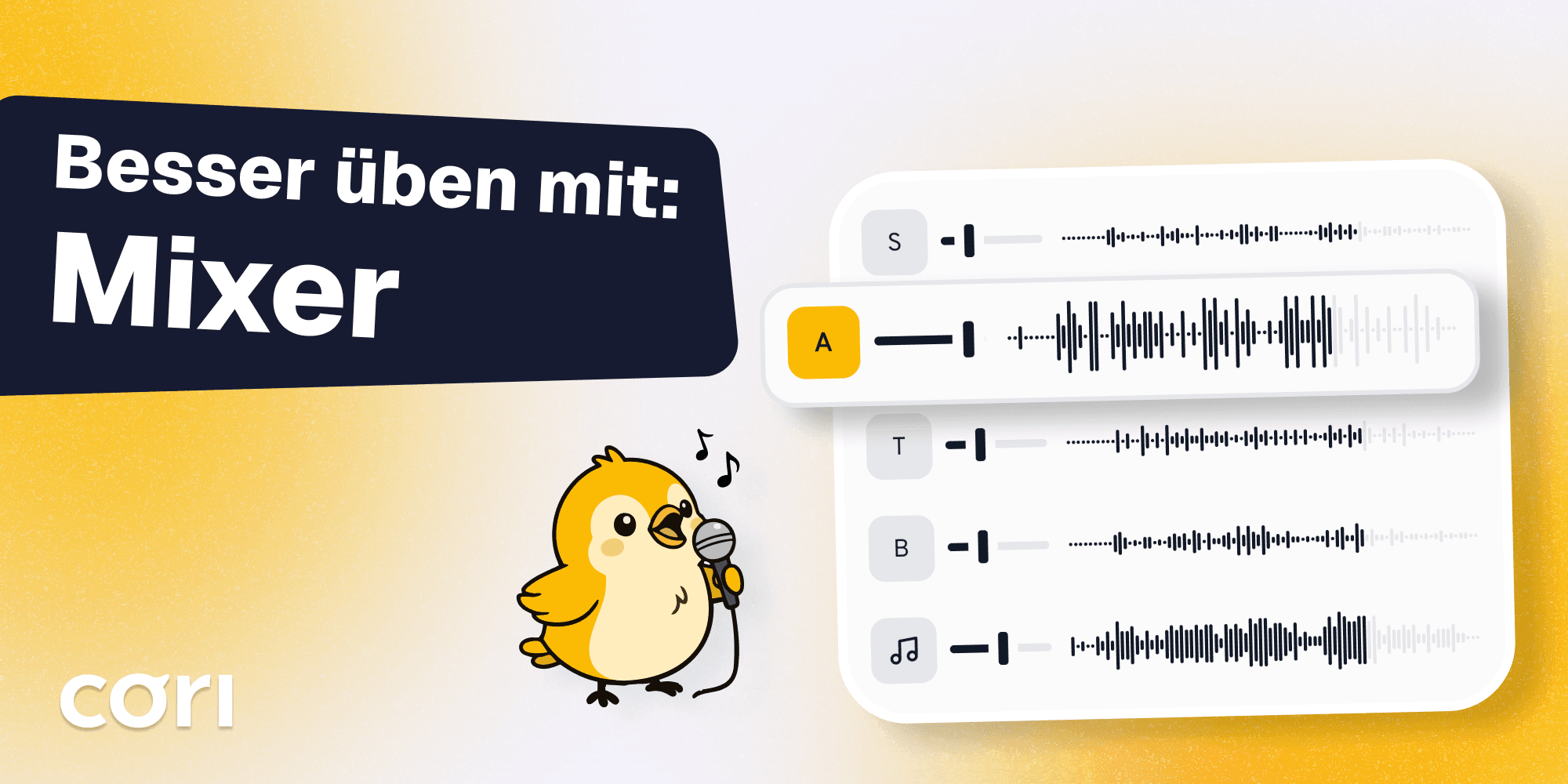
This is exactly where the audio mixer comes in. It gives you back control and gets you past this dilemma. A mixer lets you control different audio sources separately. That means: your voice part prominently in the foreground, the other voice parts supporting in the background. That way you can orient yourself perfectly by the soprano, alto or tenor, while at the same time hearing how your part harmonizes with the others without being drowned out.
The basics: how an audio mixer works when learning choir music
Controlling several tracks individually
The biggest advantage lies in the flexibility. Imagine you have separate tracks for soprano, alto, tenor and bass. With a mixer you can:
- Emphasize your own voice part while the others stay in the background
- Mute individual voice parts completely as you get more confident
- Adjust the balance between the different voice parts to suit your needs
- Control the piano track or instrumental accompaniment separately
The right technology for home
You don't need studio equipment for effective practice. Modern digital audio workstations (DAWs) such as Audacity or more professional solutions like Reaper offer all the mixer functions you need on a computer.
Apps like cori go a step further: they combine practice tracks with a mixer, sheet music and choir organization in one intuitive interface. Instead of jumping back and forth between different programs, you have everything in one place – with built-in mixer functions developed specifically for choir singers.
Practical use: step by step to the perfect practice session
Setup for beginners
-
Get hold of separate voice-part tracks: ask your choir leadership for recordings in which each voice part is on its own track. Many modern choir apps (e.g. cori ❤️) make this process considerably easier.
-
Load the tracks into your program: import all the voice parts as separate tracks into your DAW. In the choir app cori this step and the distribution of the practice recordings happen automatically.
-
Set the balance: start with your own voice part at about 80% volume, the neighboring voice parts at 50% and the more distant voice parts at 30%.
The optimal volume balance for your practice
| Voice part | Learning phase 1 | Learning phase 2 | Learning phase 3 |
|---|---|---|---|
| Your voice part | 80% | 70% | 50% |
| Neighboring voice parts | 50% | 40% | 30% |
| Distant voice parts | 30% | 20% | 0% |
| Accompaniment | 40% | 50% | 70% |
Advanced techniques
Once you're comfortable with the basic setup, try these methods:
- Slowing down without changing pitch: use time-stretch functions to practice difficult passages more slowly without them sounding odd
- Bookmarks and loop function: set difficult bars to repeat until they're solid
- Feedback: ask a friend whether they can give you feedback. The choir app cori can take this on too and shows you straight away whether you're hitting the pitch and the rhythm!
The science behind it: why listening separately helps
Studies of auditory perception show that our brain has trouble following several melodic lines at the same time, a phenomenon known in research as Auditory Scene Analysis. When you emphasize your target voice part, you reduce this cognitive load and can concentrate on intonation, rhythm and lyrics.
Recent research from 2023 on Musical Scene Analysis demonstrates that factors such as the volume balance between the target instrument and the overall mix have a considerable influence on our ability to pick out individual voices. The scientists behind the study emphasize: the more precisely we can isolate a voice in the mix, the better we can learn and reproduce it.
Spaced repetition: the key to long-term memory
Another decisive aspect of learning choir music is the timing of your practice sessions. Research on the Spacing Effect shows that practice spread out over several days is considerably more effective than hours of practice in one go. A study specifically on song material found that singers who spread their practice sessions over two days showed significantly better recall of lyrics and melody after three weeks than those who learned everything at once.
What that means for you: better to practice 20 minutes a day with your mixer than three hours once a week. Your brain needs the breaks between sessions to consolidate what it has learned. The cori app makes exactly this strategy practical, because you can practice quickly and easily without an elaborate setup every session. On top of that you get reminders when you need them and an overview of your progress.
What equipment do you really need?
The minimalist solution
To get started, all you need is:
- A smartphone or tablet
- A choir app with a mixer function, or free software such as Audacity
The extended setup
Ambitious choir singers benefit from:
- Studio headphones with a neutral sound (closed-back, to shut out external noise)
- A condenser microphone, to record and analyze your own voice
Avoiding typical mistakes
Your own voice part too quiet: out of misplaced modesty, many people mix their target track too quietly. Don't be shy – you're there to learn it!
No structure: without a clear practice plan you quickly lose track. Apps like cori, which track your progress and manage setlists, help you practice systematically.
Fitting it into your practice routine
An audio mixer is not a miracle cure, it's a tool. Combine it with proven practice methods and scientifically grounded learning strategies:
The 4-phase plan with spaced repetition
- Phase 1 (weeks 1-2): all voice parts audible, yours the loudest – you learn the melody and the lyrics. Practice 15-20 minutes daily instead of two hours once a week.
- Phase 2 (week 3): neighboring voice parts quieter, more focus on your intonation. Use short sessions with a day's break in between.
- Phase 3 (week 4): only listen to the accompaniment, test what you can do without vocal support. Now the effect of spaced learning shows.
- Phase 4: completely a cappella or with just the tonic. You'll be surprised how confident you feel.
The research on deliberate practice shows: it's not just about the quantity, but the quality of your practice time. A focused 20 minutes with a well-adjusted mixer is more effective than an hour of passive listening in the car.
Modern technology makes this process even more efficient: when your whole choir uses the same platform, choir directors can upload practice material in a targeted way, and every member practices with the same high-quality tracks. That saves time in rehearsal and boosts motivation, because everyone is at the same level.
Digital solutions such as cori also shine when it comes to mobility. You can practice on the bus to work, in the park or on the sofa. Apps often sync via the cloud, so your settings are available on all your devices.
The community aspect: practicing together, learning separately
An often overlooked advantage of modern practice solutions is the social component. When your whole choir practices on the same platform, a sense of community develops outside rehearsal too. You can see who is actively practicing, ask questions in group chats, and the choir leadership gets an (anonymized) overview of everyone's progress.
That's hugely motivating: instead of sitting alone in front of your computer, you're part of a digital practice space. Some choirs even organize virtual practice evenings where everyone trains at the same time – but each on their own.
Conclusion: more control, better results
An audio mixer turns frustrating vocal chaos into structured, effective learning. You decide what you hear, when you hear it and how loud. That control is the difference between laboriously muddling through and motivated progress.
The investment is minimal – often an app or a piece of software is enough – to make good use of the practice recordings you already have. You'll learn faster, sing more confidently and go into your next choir rehearsal with more joy. Your choir director will hear the difference, and you'll feel it.
Technology has developed so much in recent years that professional vocal training is no longer tied to expensive studios. With a smartphone, good headphones and the right app you can achieve today what used to be possible only with professional equipment.
A word on our own behalf: just try practicing with a mixer using the choir app cori. You can test it with your choir for 30 days with no obligation at all. Do write to us if we can help you with the setup! :)
Get your choir ready for the future
So you can concentrate on what matters most: the music.
Share this article
More Articles
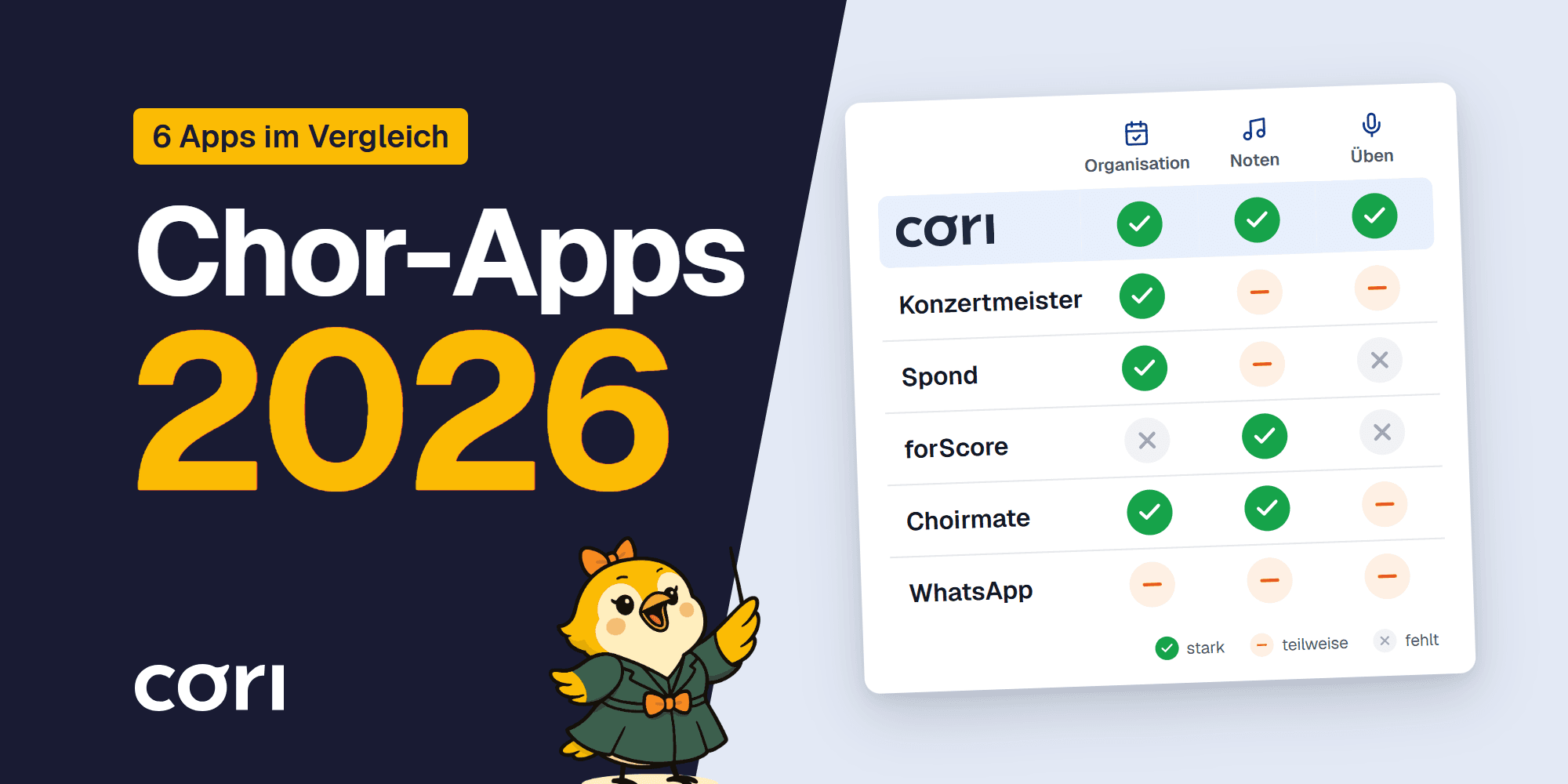
Choir Apps 2026 Compared
Choir apps 2026 compared: from Konzertmeister to cori – which app fits your choir? An honest review with clear recommendations for organization and practice.

The 6K practice room for the 2027 season: now in the browser too
6K UNITED! has opened the 2027 season, and cori's 6K practice room is ready: every song with chapter markers, follow-along lyrics and sheet music, groups and appointments for teachers, and for the first time in the browser as well, with nothing to install. What's new and how you get started.